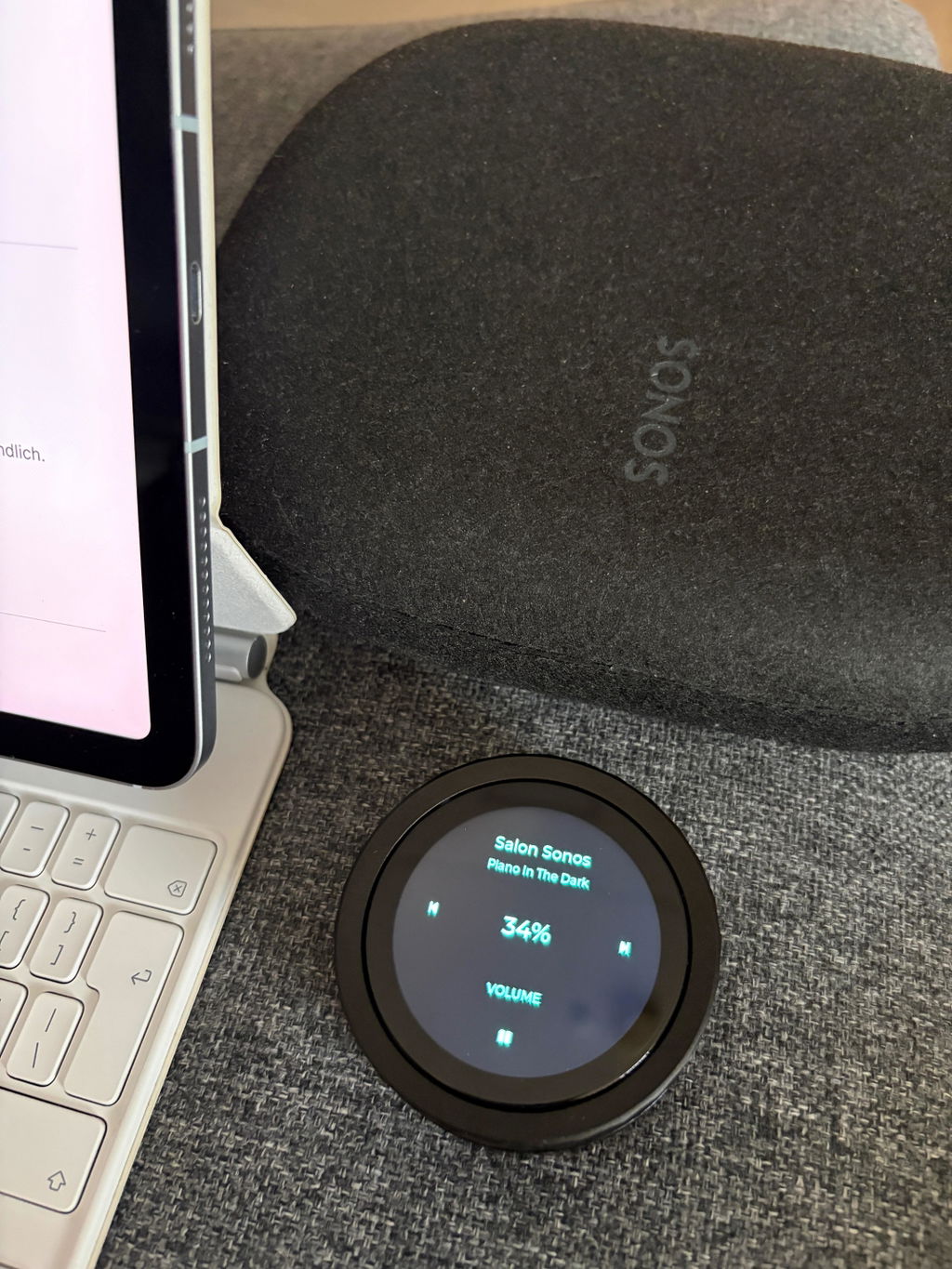
Sonos Fernedienung Drehregler per WLAN

TurnPilot - Smart Volume Knob for Your Sonos Speakers - WiFi Remote

TurnPilot (with 800 mAh battery)
€114,00
Sale price  €114,00 Regular price  €129,00
Skip to product information
Sonos Fernedienung Drehregler per WLAN

TurnPilot - Smart Volume Knob for Your Sonos Speakers - WiFi Remote

Scope of deliveryTurnPilot (with 800 mAh battery)
€114,00
Sale price  €114,00 Regular price  €129,00
Taxes included. Shipping calculated at checkout.

🟠 Sold out! Pre-order now – shipping resumes from Nov. 1, 2026

Select music, adjust volume, and connect rooms – directly via the dial and touch display. Now with easy setup via Sonos account.

  • Easy setup via QR code: Connect TurnPilot to your home Wi-Fi, scan the displayed QR code, and authorize it once with your Sonos account. Available rooms, favorites, playlists, and supported audio features are automatically detected.

  • Volume at your fingertips: Turn it down or up using the tactile aluminum dial. Rotating slowly allows for fine adjustments, while fast rotation makes larger volume changes.

  • Album art on the touch display: Enjoy available cover art on the circular display or choose the clear track view. Your preferred display setting is saved for each room.

  • Tap and swipe: Pause or resume playback, or swipe sideways to skip to the next or previous track – provided the music source supports these functions.

  • Start music without reaching for your phone: Select Sonos favorites, radio stations, and saved playlists directly on the TurnPilot. Sorting, categories, and "Recently played" help you find what you need.

  • Control rooms individually or together: Switch between detected rooms, create groups, and adjust volume for the group as a whole or for individual members.

  • Adjust sound with ease: Select bass, treble, and other supported sound features and adjust them using the dial. For compatible home theater systems, you can also control subwoofer, surround, night mode, and speech enhancement settings.

  • Flexible placement: Use it wirelessly with the integrated 800 mAh battery or keep it permanently powered via USB-C. Auto-dimming and power-saving modes can be configured separately for both operating modes.

  • Updates directly on the device: Start free firmware updates with a single click in the TurnPilot menu – no phone or manual file downloading required.


TurnPilot 3.2 – Wi-Fi rotary knob and touch remote for Sonos

Your Sonos music right at your fingertips

Select music, adjust volume, and connect rooms – directly via the rotary dial and touch display. Now with easy setup via your Sonos account.

Whether on the sofa, at your desk, or by your bed: with the TurnPilot, you have access to essential Sonos functions directly on the device. A simple turn adjusts the volume. Use the touch display to select music, rooms, and settings.

The compact metal housing and tactile rotary dial combine a familiar feel with a modern cover art display. You’ll need your smartphone for the initial setup – but in everyday use, you can control supported functions directly on the TurnPilot.

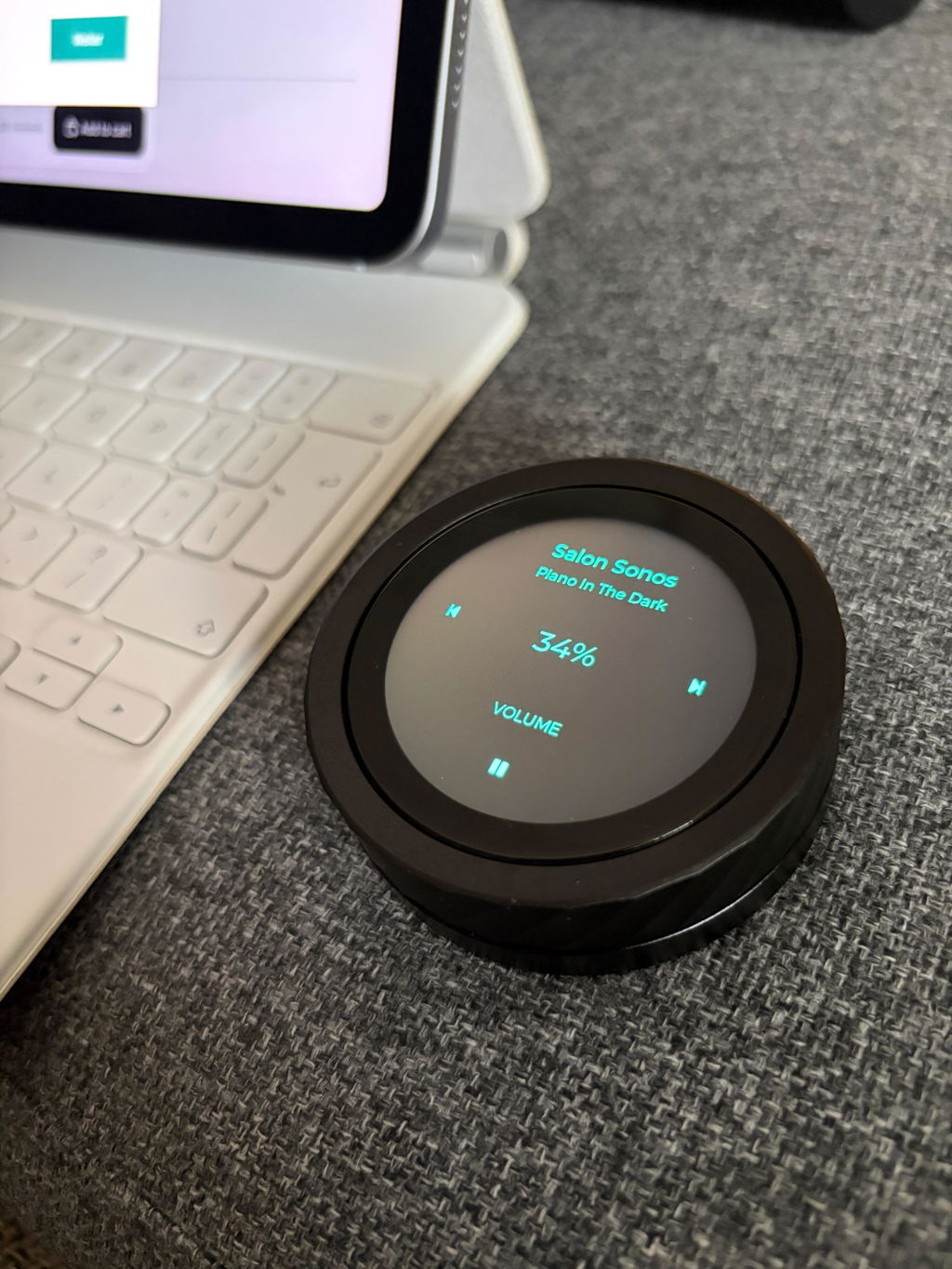
TurnPilot WLAN-Drehregler für Sonos

Adjust the volume exactly how it feels right

Turn slowly to fine-tune the volume, or faster for larger adjustments. The rotation behavior can be set to your preference: consistent steps or dynamic control with acceleration.

The large rotary ring is particularly practical when watching TV. You can feel and adjust the volume while keeping your eyes on the screen. You can set the display brightness to suit the room and the time of day.

See your music and control it with a swipe

During playback, the TurnPilot displays the available album art in a large format on the circular touch display. A tap reveals the track, artist, room or group, and playback controls. The control elements then fade back into the background.

Use a swipe gesture from right to left to skip to the next track, or in the opposite direction for the previous one. The previous cover moves visibly as it makes way for the next display.

Prefer text? Select the track view. Your preferred view, brightness, and text color can be saved individually for each room.

Start favorite playlists and stations directly

Open the music selection by swiping up from the bottom. There, you will find available Sonos favorites and saved playlists in a tile view. Tap the desired entry to start it in the selected room or current group.

You decide how your music is arranged:

In Sonos order or alphabetically.
Grouped by type, for example, into playlists, stations, and other favorites.
With an additional selection of your most recently started entries on TurnPilot.

You can access the settings by swiping up from the bottom again. Available thumbnails are cached and reused.

Content must be available via your Sonos system. A playlist that is stored exclusively in a music service app will not automatically appear as a Sonos favorite.

Changing rooms and grouping participants

The available rooms in your connected Sonos system are loaded automatically. Select the room you want to control directly on the touch display.

The green highlighted “Create group” button is easily accessible above the room list. Select the desired members and confirm your selection. You can also edit existing groups and add or remove individual rooms.

The group volume appears when you turn the dial: Adjust all grouped rooms together or tap a room to change only its volume. If you simply select a different room to control, an existing Sonos group will remain intact.

Adjust sound directly on the rotating ring

Bass a little stronger, treble more subtle, or adjusting the TV sound for the evening: select the desired sound value on the touchscreen and change it using the dial.

Depending on the Sonos room, the following functions are available, among others:

Bass and treble
Loudness
Subwoofer and surround levels
Night mode
Speech enhancement, on supported devices also in multiple levels

In a group, you first select the room whose sound you want to change. This ensures that every room keeps its appropriate settings.

Rotate tap swipe

Bedienung Funktion
Drehregler drehen In der Wiedergabeansicht die Lautstärke erhöhen oder verringern.
Langsam drehen Die Lautstärke fein und in kleinen Schritten anpassen.
Schnell drehen Im Drehmodus „Dynamisch“ oder „Boost“ größere Lautstärkeänderungen vornehmen.
Auf die Wiedergabeansicht tippen Titel, Interpret, Raum beziehungsweise Gruppe und die Wiedergabesteuerung einblenden. Anschließend auf Play oder Pause tippen.
Von rechts nach links wischen Zum nächsten Titel wechseln, sofern die Musikquelle dies unterstützt.
Von links nach rechts wischen Zum vorherigen Titel wechseln, sofern die Musikquelle dies unterstützt.
Von unten nach oben wischen Die Musikauswahl öffnen und Sonos-Favoriten, Playlists oder Sender per Antippen starten.
In der Musikauswahl erneut nach oben wischen „Musik sortieren“ öffnen: Reihenfolge, Gruppierung und „Zuletzt gespielt“ einstellen. Hier findest du auch die Wiedergabeoptionen.
Von oben nach unten wischen Räume und Geräteeinstellungen öffnen. Einen Raum auswählen oder über „Gruppe erstellen“ oberhalb der Raumliste eine Gruppe zusammenstellen.
In den Einstellungen erneut nach unten wischen Das Klangmenü öffnen. In einer Gruppe zunächst den Raum auswählen, dessen Klang du ändern möchtest.
In den Menüs seitlich wischen Zwischen den Menüseiten oder den Seiten der Musikauswahl wechseln.
Einen Einstellwert antippen und drehen Den grün markierten Wert am Drehring verändern, beispielsweise Bass, Höhen oder Displayhelligkeit.
In einer Gruppe die Lautstärke ändern Durch Drehen die Lautstärkeübersicht einblenden. „Alle Räume“ oder einen einzelnen Raum antippen und dessen Lautstärke am Drehring anpassen.
Im Energiesparmodus drehen Den TurnPilot aufwecken. Display und WLAN werden wieder aktiviert.

Use wirelessly and save energy

The integrated 800 mAh battery makes the TurnPilot independent of a fixed location next to a power outlet. For charging or continuous operation, connect it via USB-C.

Auto-dimming reduces the display brightness when not in use. In power-saving mode, the display and Wi-Fi are switched off. A rotation wakes the TurnPilot back up; your Sonos music continues playing in the meantime.

You can set the times for auto-dimming and power-saving mode separately for battery and USB operation. The battery life depends on factors including display brightness, usage, and Wi-Fi reception.

One-click firmware updates

You can install new features and improvements directly on the TurnPilot. Open the “Firmware Update” page and tap “Start update”.

The update requires an internet connection and at least 30% battery charge or a connected USB power supply. The TurnPilot will restart after the installation is complete.

Technical Data

Merkmal Angabe
Produkt TurnPilot 3.0
Funktion WLAN-Drehregler und Touch-Fernbedienung für Sonos und kompatible IKEA-SYMFONISK-Lautsprecher.
Bedienung Drehbarer Außenring und kapazitives Touchdisplay mit Tipp- und Wischgesten.
Display Rundes 1,8-Zoll-Touchdisplay.
Auflösung 360 × 360 Pixel.
Anzeige Coveransicht oder Titelansicht; bevorzugte Darstellung, Helligkeit und Textfarbe für jeden Raum separat einstellbar.
Gehäuse Metallgehäuse mit schwarzem CNC-gefrästem Aluminium-Drehring.
Durchmesser Ca. 66 mm.
Gewicht Ca. 160 g.
Verbindung 2,4-GHz-WLAN. Eine Internetverbindung ist erforderlich; TurnPilot und Sonos müssen im selben Heimnetz erreichbar sein.
Einrichtung Per Handy mit dem TurnPilot-Setup-WLAN verbinden, Heim-WLAN auswählen und Passwort speichern. Anschließend den QR-Code am Display scannen und mit dem Sonos-Konto freigeben.
Raumerkennung Automatische Erkennung verfügbarer Räume des verbundenen Sonos-Systems. Keine manuelle Eingabe von Lautsprecher-IP-Adressen erforderlich.
Gruppensteuerung Raumgruppen direkt am Gerät erstellen und bearbeiten. Lautstärke gemeinsam oder für einzelne Gruppenmitglieder regeln.
Musikauswahl Verfügbare Sonos-Favoriten, Radiosender und gespeicherte Playlists per Touch starten. Sortierung, Gruppierung nach Typ und „Zuletzt gespielt“ einstellbar.
Wiedergabesteuerung Play/Pause, nächster und vorheriger Titel sowie Zufall und Wiederholen, soweit von der Musikquelle unterstützt.
Klangeinstellungen Je nach Sonos-Raum Bass, Höhen, Loudness, Subwoofer- und Surround-Pegel, Nachtmodus sowie Sprachverbesserung. Mehrstufige Sprachverbesserung bei unterstützten Geräten.
Drehverhalten Normal, Dynamisch oder Boost – mit gleichmäßigen Schritten oder beschleunigter Lautstärkeänderung bei schnellem Drehen.
Akku Integrierter wiederaufladbarer Lithium-Polymer-Akku mit 800 mAh.
Stromversorgung 5 V über USB-C oder integrierter Akku.
Dauerbetrieb Über eine angeschlossene USB-C-Stromversorgung möglich.
Energiesparen Autodimmen und Schlafmodus getrennt für Akku- und USB-Betrieb einstellbar. Im Schlafmodus werden Display und WLAN abgeschaltet; Aufwecken durch Drehen.
Firmware-Updates Direkt am Gerät über WLAN starten. Voraussetzung: Internetverbindung und mindestens 30 % Akkuladung oder angeschlossene USB-Stromversorgung.
Sonos-Kontowechsel Kontoverbindung direkt im Menü trennen und anschließend per QR-Code neu anmelden. Gespeicherte WLAN-Daten bleiben erhalten.
Sprachen Deutsch, Englisch, Französisch, Italienisch, Spanisch und Niederländisch.
Voraussetzungen Bereits eingerichtetes, unterstütztes Sonos-System mit Sonos-Konto, erreichbare Lautsprecher und ein gemeinsames Heimnetz mit Internetzugang.

Compatibility Table

Generally compatible with all devices that can also be controlled using the Sonos app.

Hersteller Modell / Serie Status
Sonos Era 100 Kompatibel
Sonos Era 100 Pro Kompatibel
Sonos Era 100 SL Kompatibel
Sonos Era 300 Kompatibel
Sonos Five Kompatibel
Sonos One SL Kompatibel
Sonos Move 2 Kompatibel
Sonos Roam Kompatibel
Sonos Roam 2 Kompatibel
Sonos Roam SL Kompatibel
Sonos Arc Kompatibel
Sonos Arc SL Kompatibel
Sonos Arc Ultra Kompatibel
Sonos Beam Gen 2 Kompatibel
Sonos Ray Kompatibel
Sonos Amp Kompatibel
Sonos Port Kompatibel
Sonos Beam Gen 1 Kompatibel
Sonos Move Kompatibel
Sonos One Gen 1 / Gen 2 Kompatibel
Sonos Play:1 Kompatibel
Sonos Play:3 Kompatibel
Sonos Play:5 Gen 2 Kompatibel
Sonos Playbar Kompatibel
Sonos Playbase Kompatibel
Sonos Connect Eingeschränkt / prüfen
Sonos Connect:Amp Eingeschränkt / prüfen
Sonos Sub / Sub Mini / Sub 4 Eingeschränkt
Sonos Ace Nicht als Raumlautsprecher vorgesehen
IKEA / Sonos SYMFONISK Bookshelf Gen 1 / Gen 2 Kompatibel
IKEA / Sonos SYMFONISK Table lamp Gen 1 / Gen 2 Kompatibel
IKEA / Sonos SYMFONISK Floor lamp Kompatibel
IKEA / Sonos SYMFONISK Picture frame Kompatibel

Manufacturer and Safety Information


Manufacturer:

Thomas Pilgrim / Pilgrim V&M
August-Engel-Str. 24
59872 Meschede
Germany

Product Safety Contact:
info@pilgrim.im

Product: TurnPilot WLAN Volume Control
Power Supply: 5 V via USB-C or integrated 800mAh battery

Usage: exclusively in dry indoor areas

Protect the device from moisture, extreme heat, and direct sunlight.
Only operate with a suitable 5V USB power supply.
Do not continue to use damaged devices, cables, or power adapters.


Complete Manufacturer Information and Safety Instructions as PDF

Sign in with Sonos once – set up automatically

Setup is performed via your phone in three steps:

Set up Wi-Fi: Connect your phone to the TurnPilot setup network. Select your home Wi-Fi, enter the Wi-Fi password, and save.

Scan QR code: Once the TurnPilot is connected to the internet, a QR code will appear on its display. Scan it with your phone.

Authorize Sonos: Log in with your system's Sonos account and confirm access for the TurnPilot. Done.

The TurnPilot will then detect the available rooms, favorites, and playlists of your connected Sonos system. Supported sound functions will also be offered according to the respective room. You do not need to look up IP addresses or manually add individual rooms.

The account connection remains saved. No re-login is required for normal operation. If you wish to use a different Sonos account later, you can disconnect it directly in the TurnPilot menu.

Requirements: An already configured Sonos system, your Sonos account, a 2.4 GHz Wi-Fi network, and an internet connection. TurnPilot and Sonos must be reachable on the same home network.

  • 5 stars: 5 (100%)
  • 4 stars: 0 (0%)
  • 3 stars: 0 (0%)
  • 2 stars: 0 (0%)
  • 1 star: 0 (0%)
K
Kamil

Idealnie sprawdza się z głośnikami Sonos Five i Sub 4 oraz Ikea Symfonisk Lamp i Bookshelf. Piękne wykończenie, wygląda na droższy niż jest w rzeczywistości. Wcześniej miałem SofaBaton X1S - nie sprawdził się. TurnPilot jest super!!!

A
Andreas Paulsen

Alles prima gelaufen. Top Service. Absolut empfehlenswert!

L
Liebra

Was für ein schönes Gerät ist die Turnpilot. Damit ist die Bedienung meines Sonos viel einfacher.
Jetzt brauche ich mein Smartphone nicht mehr. Die Lautstärkeregelung ist mit einem Drehknopf viel einfacher!
Gutes Design von Thomas.

A
Anonym

Turnpilot ist ein Gedicht!

Seit Sonos die Lautstärkesteuerung über die Handy-Tasten abgeschafft hat, war das Anpassen der Lautstärke einfach nur noch umständlich.

Mit Turnpilot geht das wieder blitzschnell und unkompliziert. Genau die Funktion, die gefehlt hat!

Das i-Tüpfelchen wäre noch ein schnelles Gruppieren von Räumen und die Möglichkeit, gespeicherte Playlists direkt zu starten.

Absolute Empfehlung!

Auch das gewünschte „i-Tüpfelchen“ ist inzwischen umgesetzt: Räume lassen sich direkt gruppieren und gespeicherte Playlists können direkt über den TurnPilot gestartet werden.

Vielen Dank für die Empfehlung und weiterhin viel Freude mit deinem TurnPilot!

M
Markus S.

Ich nutze den Drehregler täglich beim Fernsehen und im Esszimmer. Lautlos und ohne Einblendungen im Bild. Auch meine kleine Tochter liebt es damit die Lautstärke zu steuern. Klare Empfehlung

Legal Notice

TurnPilot is an independent accessory and is not affiliated with Sonos, Inc. or IKEA. Sonos, Sonos App, SYMFONISK, and other product names are trademarks of their respective owners and are used solely to describe compatibility.

Product video and initial setup in the video: